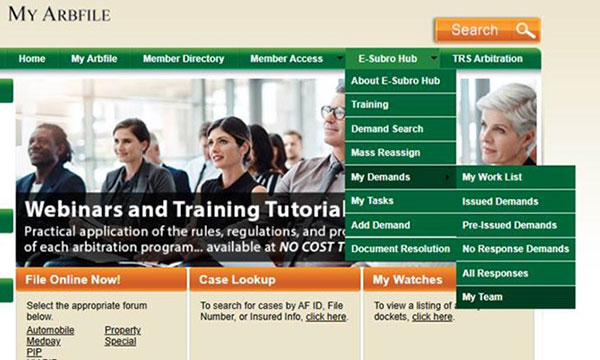
To locate the My Team option, follow the steps below:
- Navigate to My Arbfile.
- Click the E-Subro Hub drop-down menu.
- Select “My Demands” then “My Team.”
For further assistance, a guide and tutorial are available on the E-Subro Hub Training Resources page.
Note: If the My Teams option is not visible, it will need to be configured by a security administrator at your company.
Want to Learn More?
In March, we reviewed the E-Subro Hub Worklist page. To learn more about the Worklist page and how it can be used to manage demands, see the article from our last E-Subro Hub E-Bulletin.